



Data Mapping Automation: How AI Maps Product Data to Channel-Specific Fields
Data mapping automation is the process of connecting each field in your product catalog to the matching field on every sales channel, and translating each value into a format that channel accepts. Done well, it means you describe a product once and let a repeatable process turn that record into an Amazon listing, an eBay listing, a Walmart item and a Google Merchant Center feed entry.
AI now helps with the first draft of that work by proposing matches. Rules then apply the decisions your team has approved. A person stays in the loop, because a likely match is not the same as a confirmed fact about your product.
Key Takeaways
- Mapping has several layers: source field to channel field, value normalization, units, variations and category-specific templates.
- Unmapped fields should be reported as gaps, never filled with guesses.
- AI proposals and automation rules are different things. AI suggests matches for review; rules are deterministic logic your team configures.
- Mappings need maintenance, because channels change their fields and accepted values over time.
- SureDone AI Listing, part of the SureDone® multichannel e-commerce platform, proposes categories and field mappings and flags readiness gaps, while a person reviews and approves.
What Is Data Mapping Automation?
Data mapping means defining how a field in one system corresponds to a field in another. In e-commerce, the source is your catalog, PIM (product information management) system or ERP, and the destination is each channel’s listing schema.
The challenge is that channels describe the same product differently. One channel might call a field “color_name,” another “Color,” and a third accepts only values from its own fixed list. Which fields a channel treats as required or optional is a separate question; this article focuses on how you connect and translate the data once you know what each channel asks for.

Automation turns that translation into a repeatable layer between your catalog and every channel. Instead of rebuilding a spreadsheet for each upload, you maintain a set of mappings and rules that run every time product data changes.
The Mapping Process: From Source Field to Channel Field
Every mapping project works through the same layers, whether you build it by hand or with AI assistance. Treat each layer as its own decision, because each one fails in a different way.
1. Match Source Fields to Channel Fields
Start with field mapping: which internal field fills which channel field. Your “material” field might feed a channel’s fabric or material attribute, while your “brand” field feeds the brand attribute on every channel.
The relationships are not always one to one:
- One to many: a single internal field feeds several channel fields, such as one color value used for both a color attribute and a color family filter.
- Many to one: several internal fields combine into one channel field, such as length, width and height merged into a single dimensions string.
- Derived fields: a channel value is built from other data, such as a title assembled from brand, product line, size and color.
2. Normalize Values to Accepted Options
Value mapping decides what the data says once it arrives. Many channels restrict certain attributes to a list of accepted values, so “Heather Charcoal” may need to become “Gray” on one channel while your own storefront keeps “Heather Charcoal.”
Value errors are often quieter than field errors. A listing can go live with a value the channel does not recognize and then miss filtered search results, so it pays to map values deliberately rather than passing free text through.
3. Convert Units and Formats
Units and formats cause a surprising share of mapping problems. One supplier sends weight in grams, another in pounds, and a channel may expect a number in one field and the unit in another.
Decide on one internal standard per attribute, then convert on the way out. Common conversions include:
- Metric to imperial measurements, or the reverse.
- Size labels, such as “Large” to “L.”
- Dates, booleans (“Yes” vs “true”) and decimal formats.
- Splitting combined strings, such as “12 x 8 x 4 in,” into separate numeric fields.
4. Handle Variations and Parent-Child Relationships
Products with sizes, colors or other options need a parent-child structure: one parent that groups the family and child records that carry each specific combination. Each channel models this in its own way.
Each channel handles variations in its own way. At the time of writing:
- Amazon groups children under a parent using a variation theme.
- eBay uses multi-variation listings.
- Walmart groups variants into item families.
- Shopify uses product options and variants.
- Google Merchant Center links variants with a shared item group ID.
Your mapping must tell each channel which attributes vary, which stay shared, and which record is the parent. Check each channel’s seller documentation for the current rules in your category.
5. Apply Category-Specific Templates
Channels ask for different attributes depending on the category or product type. A laptop, a pair of running shoes and a brake rotor each come with their own set of fields, and the same internal attribute can map differently per category.
Build your mappings per category rather than per channel alone. A category template for “apparel on Walmart” and another for “apparel on Amazon” keeps the logic readable and makes it easier to update one category without touching the rest.
Auto parts are a clear example. Sellers map ACES fitment data and PIES (Product Information Exchange Standard) product data into Year/Make/Model compatibility, including eBay Motors parts compatibility. SureDone supports ACES and PIES import and eBay EPIDs (eBay Product IDs) as part of its parts fitment and compatibility features.
6. Handle Unmapped Fields
Some channel fields will have no source value, and some of your internal fields will have no channel destination. Both deserve a deliberate decision.
- Channel field with no source: report it as a gap, then add the data to your catalog or set an approved default where that is accurate.
- Source field with no destination: leave it unmapped on purpose, or check whether it belongs in a description or bullet point instead.
- Never guess: a plausible but wrong value is harder to catch later than an empty field flagged today.
Worked Example: One Product Record, Five Channel Listings
The easiest way to see data mapping automation at work is to follow one product through it. Take a single source record: a cotton T-shirt, style TS-100, color “Heather Charcoal,” size “Medium” and a weight of 180 grams.
The facts about the shirt never change. What changes per channel is the field name, the accepted value, the unit and how the variation is grouped. The examples below describe how these channels generally work at the time of writing, so confirm the details in each channel’s seller documentation.
Amazon
The shirt becomes a child record under a parent for style TS-100, grouped by a size and color variation theme. The mapping sends “Medium” to the size field and “Heather Charcoal” to the color field, plus a broader color value where the product type asks for one.
eBay
The same record becomes one variation of a multi-variation listing. Size and color are mapped to the item specifics that the chosen category uses for variations, so the category decision comes first.
Walmart Marketplace
The shirt joins a variant group with the other TS-100 sizes and colors. If the color field only takes values from a fixed list, “Heather Charcoal” has to be mapped to the closest accepted color, such as “Gray.”
Shopify
Size and color become product options on one product, and “Medium” can stay “Medium” because you define the options yourself. Here mapping is about keeping names consistent, not about meeting an outside schema.
Google Merchant Center
A shared item group ID ties the variants together, and color and size go into their own feed attributes. The 180 grams are converted into a shipping weight with an explicit unit.
What the Example Shows
- Field mapping decided where size, color and weight land on each channel.
- Value mapping turned “Heather Charcoal” into “Gray” only where a fixed list required it.
- Unit conversion changed grams into the format the feed expects.
- Variation mapping grouped the child under the right parent on every channel.
One clean source record with channel-specific mappings is easier to maintain than a separate spreadsheet per channel. Central marketplace management helps you keep those mappings in one place.
How AI Proposals Fit Into the Process
AI is useful for the first pass. It can suggest which source field matches a channel field, which category a product belongs in and which values may need normalizing. It can also point out where data is missing before you try to list.
What AI does not do is know whether a value is true for your product. That is why proposals should be reviewed and approved by a person who knows the catalog.

What to Check When You Review a Proposal
- Category: does the proposed category match what the product actually is?
- Field matches: does each source field feed the right channel field, especially for many-to-one combinations?
- Values: is the normalized value accurate, or just the closest option on a list?
- Units: are numbers converted correctly and placed in the right unit field?
- Variations: are the parent and children grouped correctly, with the right varying attributes?
- Gaps: are missing values flagged rather than filled in?
Proposals vs Rules
Keep a clear line between the two. A proposal is a suggestion for a specific product and channel that someone approves or edits. A rule is deterministic logic your team configures, such as “convert grams to pounds for this channel” or “map Heather Charcoal to Gray on this channel,” and it runs the same way every time.
Once a decision should apply across many products, your team turns it into a rule. That keeps recurring transformations predictable and auditable.
Keeping Mappings Maintained When Channels Change
Mappings are not a one-time setup. Channels add attributes, retire values, adjust category trees and update variation options, and a mapping that worked last quarter can start producing errors.
Build a Simple Maintenance Routine
- Watch rejections and warnings. A cluster of errors on one attribute often signals a channel change.
- Follow channel announcements. Check seller news and documentation for the channels and categories you sell in.
- Update the rule, not the rows. When accepted values change, edit the one rule that handles them instead of hundreds of products.
- Re-check new products. When you add a product line or category, review its mappings before you expand to every channel.
Keep Source Data Consistent
The same attribute can arrive as “Color,” “color” or a numeric code, depending on whether it came from an ERP, a supplier feed or a spreadsheet. Automation repeats whatever it receives, so inconsistent source data spreads to every channel at once. Agreeing on one standard per attribute keeps every mapping on a clean starting point.
How SureDone Helps With Data Mapping
SureDone separates the two jobs described above: AI proposals that a person reviews, and rules that your team configures. Both draw on the same central product record.
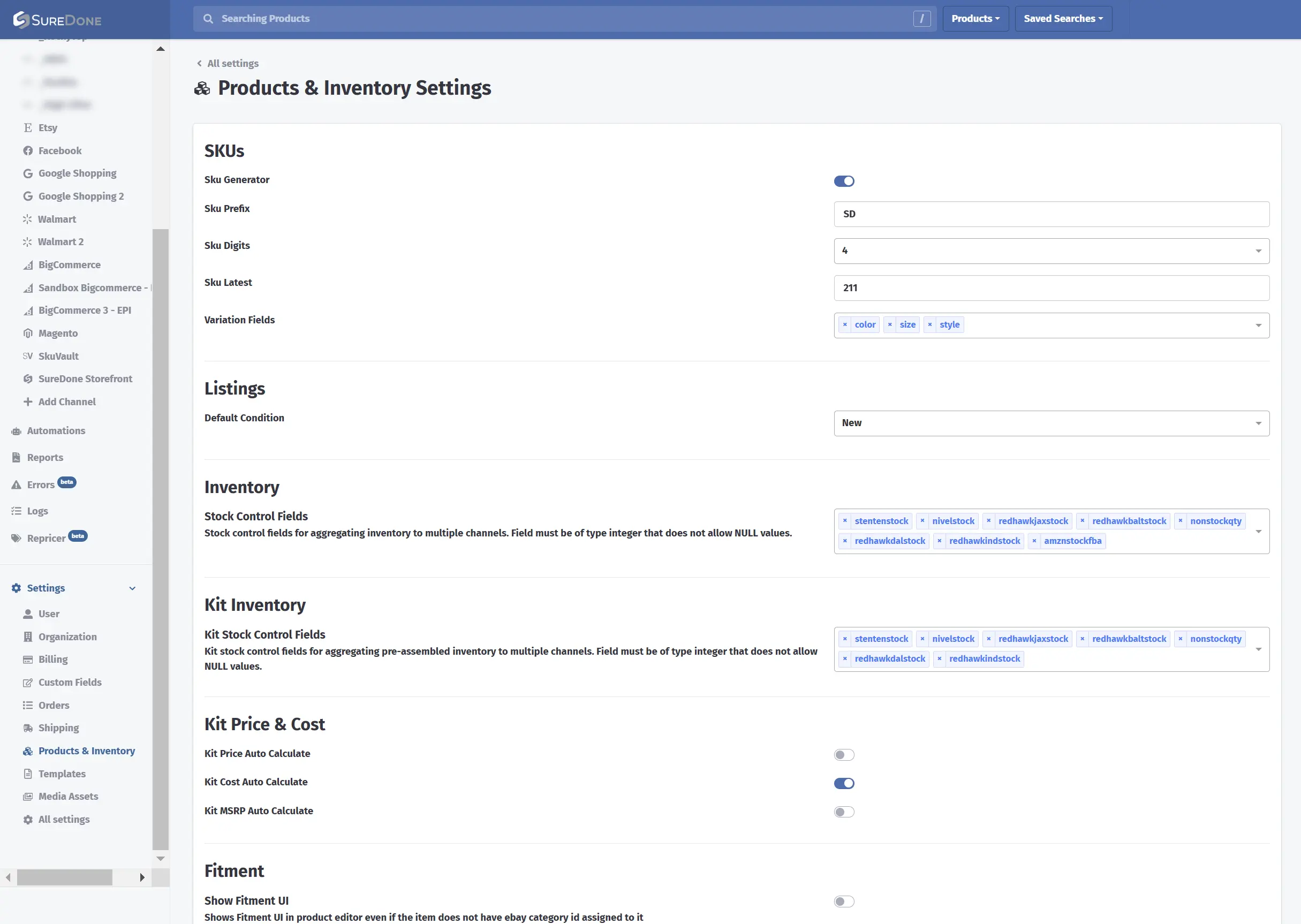
Products & Inventory Settings in SureDone, where an account defines settings such as its variation fields, here color, size and style.
AI Listing Proposes, Your Team Approves
SureDone AI Listing finds products in your catalog, optimizes titles and descriptions, and proposes categories and marketplace field mappings. It validates readiness and flags readiness gaps, such as missing data, before anything is submitted.
The work happens inside a scoped listing plan covering the products, channels and actions you choose. Every publish or end action stays behind explicit human approval, and each channel’s outcome is verified separately. Inside SureDone, this agent is called Taska AI.
Automation Engine Rules Run the Same Way Every Time
For transformations you want applied consistently, the Automation Engine offers no-code and low-code workflows. Your team configures rules with conditional logic to transform and normalize values, such as unit conversions or size labels, and runs them on a schedule or when an event occurs.
These rules are separate from AI Listing proposals. They do exactly what your team sets them up to do, which makes them the right place for decisions you have already made.
Channels, Pricing and Onboarding
At the time of writing, every SureDone plan includes unlimited channels, and pricing is based on product updates and order volume rather than a percentage of GMV. Onboarding is required and led by a dedicated onboarding specialist under a statement of work, so your initial mapping setup is planned with you.
Where to Start: One Channel, One Category
Pick one channel and one category where mapping errors cost you the most. Clean up the source values, map fields and values, handle variations, and review every flagged gap.
Once that slice is stable, turn the recurring decisions into rules and expand to the next channel. Each step builds on mappings you have already checked.
Want to see how this works with your own catalog? Request a demo and walk through a mapping plan for one of your channels.
FAQ
What is data mapping automation in e-commerce?
It is the process of connecting your catalog fields to each channel’s fields and translating values into formats each channel accepts. Rules apply decisions your team has approved, while AI can propose matches and flag missing data for a person to review.
What is the difference between field mapping and value mapping?
Field mapping decides where data goes, such as your “material” field feeding a channel’s material attribute. Value mapping decides what the data says once it arrives, such as turning “Heather Charcoal” into “Gray” for a channel with a fixed color list.
How do you map product variations across channels?
Define a parent record and child records, and specify which attributes vary, such as size and color. Then map that structure to each channel’s own variation model, which differs between Amazon, eBay, Walmart, Shopify and Google Merchant Center, and check each channel’s documentation for current rules.
What should happen to fields that cannot be mapped?
A channel field with no source value should be flagged as a gap and filled from your catalog or an accurate approved default. Avoid guessing, because a plausible but wrong value is harder to catch than an empty field.
Is AI mapping the same as rule-based mapping?
No. In SureDone, AI Listing proposes categories and field mappings for a person to review and approve. Automation Engine rules are deterministic workflows your team configures to transform and normalize values on a schedule or when events occur.
