



How to Prepare Your Ecommerce Product Catalog for AI Listing
To prepare your ecommerce product catalog for AI listing, give every SKU one clean record with identifiers, a clear title, complete attributes, compliant images and accurate price and stock. Then fix the gaps a readiness check surfaces before anything publishes.
AI can only work with the data you give it. Clean records lead to useful proposals, while messy records multiply existing problems across every channel you sell on. This guide covers the general catalog work first, then shows where AI Listing in the SureDone® multichannel e-commerce platform takes over.
Key Takeaways
- Data quality sets the ceiling. AI proposals are built from your existing records, so gaps and inconsistencies carry straight through.
- Identifiers such as GTIN/UPC, MPN and brand must come from you, your supplier or the manufacturer. AI cannot invent them.
- Requirements differ by channel and category. Check each marketplace’s seller documentation for the categories you target.
- Start with a small batch, review every proposal and keep a named owner responsible for approvals.
What Your Ecommerce Product Catalog Needs to Do
Your ecommerce product catalog is the master record for everything you sell: titles, descriptions, images, identifiers, attributes, price and stock. For a multichannel seller, that one record set feeds Amazon, eBay, Walmart, Shopify and your own storefront.

For AI listing, the catalog has one job: describe each product clearly and consistently enough that software can map it to a channel without guessing. If the same fact is written three different ways, no system can map it reliably.
Your AI Listing Readiness Checklist
Use this checklist before you run your first batch through AI Listing (shown as Taska AI inside SureDone). Each item is something you control, and each one affects what the AI can propose.
- Identifiers in place: GTIN/UPC, MPN and brand filled for every SKU where your target channels and categories ask for them.
- Clean titles: no supplier codes, internal notes, ALL CAPS or keyword stuffing in the source title.
- Complete attributes per target category: size, color, material, dimensions, condition and the category-specific fields each channel expects.
- Compliant images: images that meet each channel’s published image rules, such as background, minimum size and no watermarks.
- Accurate inventory and pricing: quantities that match your warehouse and prices you are ready to publish.
- Channel accounts connected: every marketplace or storefront you plan to list on is linked and active.
- Category targets known: you know which categories you want to sell in on each channel, including any that need approval from the marketplace.
- An owner for approvals: one person who reviews and approves AI proposals before anything goes live.
How to Prepare Your Catalog, Step by Step
Treat preparation as a repeatable process, not a one-time cleanup. The first five steps are general product information management (PIM) advice that applies whatever software you use. The last two are where AI Listing comes in.
General PIM Advice: Clean the Source Data
- Audit and deduplicate SKUs. Give every product one unique SKU. Merge or retire duplicates and old supplier codes so an outdated record does not end up in a listing plan.
- Complete the core fields. Every SKU needs a title, description, category, brand, images, price and quantity. A one-line description gives any AI very little to optimize.
- Add identifiers from trusted sources. Pull GTIN/UPC and MPN from your supplier, the manufacturer or your own records. Identifier rules vary by marketplace and category at the time of writing, so check Amazon Seller Central help, eBay’s seller help and Walmart Marketplace Learn for your categories.
- Normalize attribute values. Use one unit system and one spelling per value, for example “Stainless Steel” and never also “SS” or “stainless”. Consistent values map to channel fields predictably.
- Structure your variations. Group size, color and material options under a parent, with the same variation attributes on every child SKU.
If you sell automotive, motorsports or powersports parts, load fitment data as well. SureDone’s parts fitment and compatibility features support ACES and PIES imports and eBay EPIDs (eBay Product IDs).

Verified AI Listing Steps: Readiness and Approval
- Run a readiness pass on a small batch. AI Listing finds the products you want to list and builds a scoped listing plan of products, channels and actions. It validates readiness and flags readiness gaps before anything is submitted.
- Fix gaps at the source, then review and approve. Correct flagged records in your catalog, then review the proposed titles, descriptions, categories and field mappings. Every publish or end action waits for your explicit approval, and each channel outcome is verified separately.
For larger fixes, Advanced Search lets you filter the catalog and apply bulk changes, and Bulk Upload & Export supports a spreadsheet round trip.
Why Data Quality Shapes the Output
Poor product data produces poor proposals. A wrong dimension or outdated part number in a supplier feed carries straight into a listing and can lead to rejections, returns and support tickets.
One bad value also rarely stays in one place. Once it is in your master record, it can reach every connected channel with the next update. Checking data before a listing plan is built costs far less than fixing live listings later.
Rich Descriptions Give the AI Facts to Work With
“Durable steel bracket” gives an AI little to build on. A description that lists the steel grade, hole spacing and what is in the box gives it real facts, and those facts help buyers too.
General PIM Advice: Keep the Catalog Ready
Marketplace requirements change, suppliers update prices and new SKUs arrive every week. These habits keep a catalog dependable over time.
- Schedule regular reviews of pricing, stock levels and channel-specific fields.
- Make every change in one central record instead of editing each channel by hand.
- Name one catalog owner for data standards and define who approves changes.
- Document your attribute spellings, units and title format so new SKUs follow the same rules.
How SureDone Helps You Get to Approved Listings
SureDone keeps your product records in one source of truth, and AI Listing works directly from those records. Because it reads the catalog you already prepared, the readiness gaps it flags point to data that is actually missing.
What AI Listing Does
- Finds the products you want to list.
- Optimizes titles and descriptions.
- Proposes category and marketplace field mappings.
- Validates readiness and flags gaps.
- Builds a scoped listing plan of products, channels and actions.
- Keeps every publish or end action behind your explicit approval and verifies each channel outcome separately.
AI Listing proposes; you decide. It does not guarantee that a marketplace accepts a listing, which is why the approval owner on your checklist matters.
The Platform Around It
AI Listing runs on the same catalog that drives multichannel inventory management, so proposals reflect current stock and pricing. For rule-based work, such as scheduled supplier imports, the Automation Engine runs no-code and low-code workflows separately from AI proposals.
SureDone manages 100M+ SKUs for its customers, and every new customer gets a dedicated onboarding specialist who can help plan your catalog preparation.
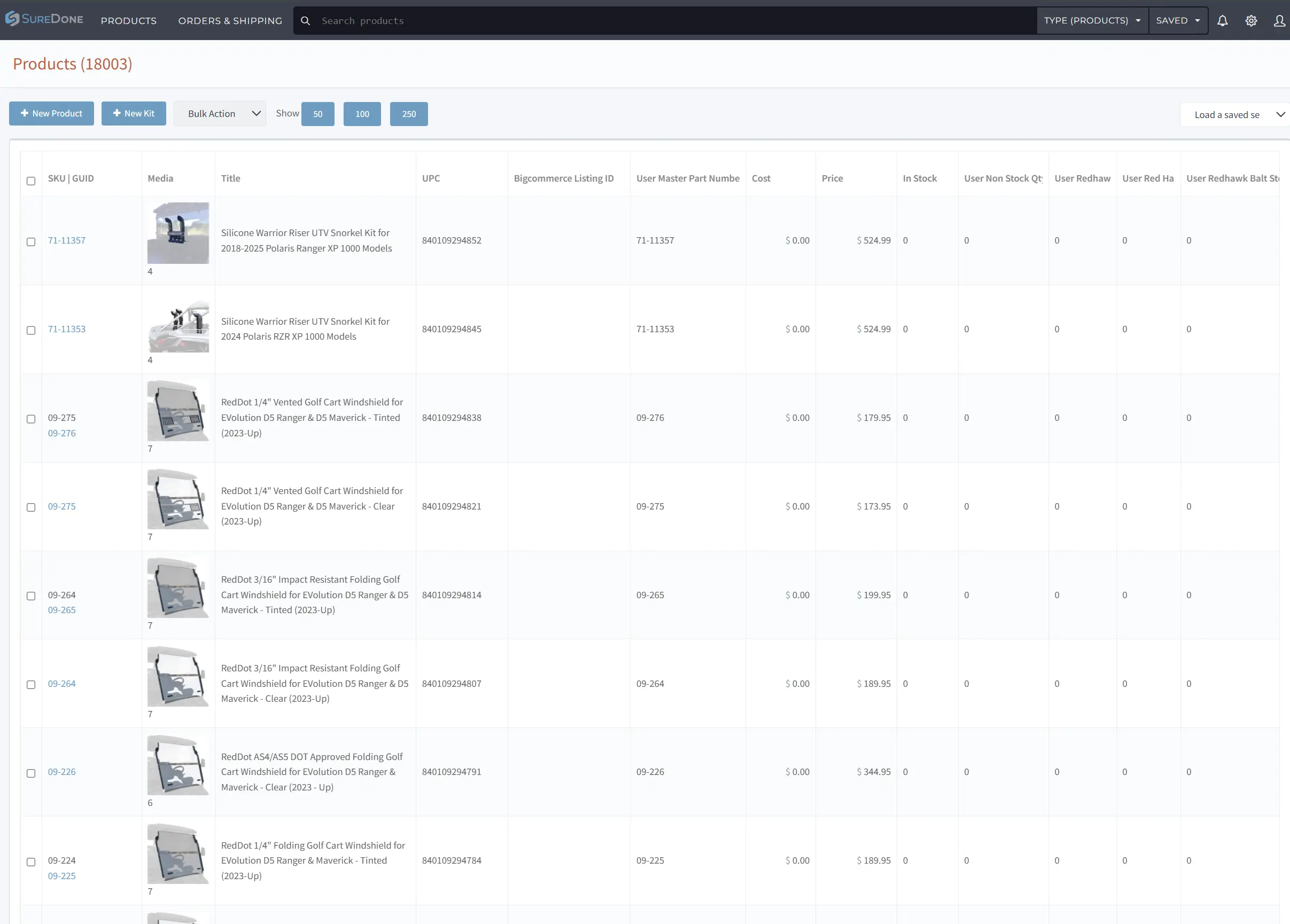
The SureDone product list, with SKU, UPC, title, price and stock per item. This is the catalog your channel listings are built from.
Turning a Prepared Catalog into Approved Listings
A prepared ecommerce product catalog is what lets AI Listing produce proposals worth approving. Work through the checklist, start with a small batch and scale once you trust the results.
To see how a prepared catalog connects to listings and channels, explore these pages:
Want to see AI Listing on your own product data? Request a demo for a personalized walkthrough built around your catalog and channels.
Frequently Asked Questions About Ecommerce Product Catalogs
What is the primary purpose of an ecommerce product catalog?
It is the master record for all your product information. It lets you present products consistently on every channel you sell on, from marketplaces to your own storefront.
How often should an ecommerce product catalog be updated?
Keep stock and pricing current continuously, ideally through automated sync. Review descriptions and attributes on a regular schedule, because stale data frustrates buyers and weakens AI proposals.
Can a single product catalog be used across multiple marketplaces?
Yes. A centralized catalog managed through SureDone lets you send consistent product data to several channels. You may still need channel-specific fields to meet each marketplace’s requirements.
What is the difference between a product catalog and a product feed?
The catalog is your master record, while a feed is an export of that data formatted for one channel. Fix errors in the catalog so every feed and listing picks up the change.
How does AI help with ecommerce product catalog management?
AI Listing optimizes titles and descriptions, proposes category and marketplace field mappings and flags readiness gaps before publishing. You review and approve every publish action, and each channel outcome is verified separately.
